Send your current location
Tap Send on the Map screen. I'm here creates a share message with your current position and the name you set in Settings.
 I'm here
Free for iPhone and Android
I'm here turns your current location or a future meeting spot into a message your friends can open on a map.

What it does
Tap Send on the Map screen. I'm here creates a share message with your current position and the name you set in Settings.
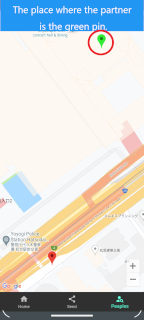
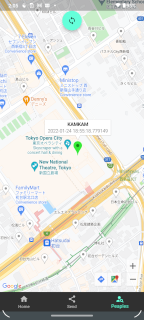
When a friend sends an I'm here link, open it in the app to see their position as a green pin and your own position beside it.
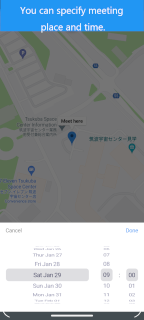
Long press the map, choose a date and time, and send the meeting place. Meeting spots appear as blue pins.
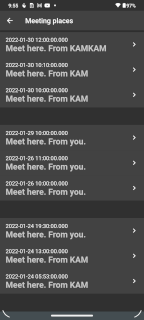
People and Schedule screens keep received locations and meeting places so you can return to them quickly.
Why people keep it installed
Instead of explaining exits, landmarks, or moving targets in a chat thread, send a map-ready link. The other person can confirm the place, check the time, and head there with less friction.
Download I'm here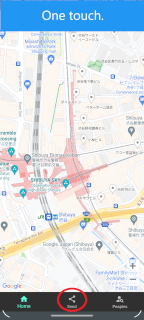
How to use
Allow location access while using the app. On Android, if links do not open directly in I'm here, add app.kamkam.me under Open by default.
Use this when someone needs to know your current place right now.
Use this when a friend sends you an I'm here message.
Use this when the place is not your current location, or when you want to set a meeting time.
Install I'm here and keep location sharing simple when it matters.